
Overview
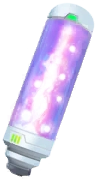
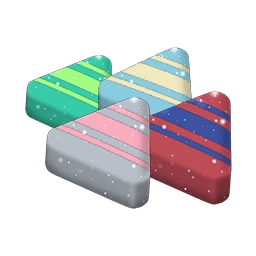
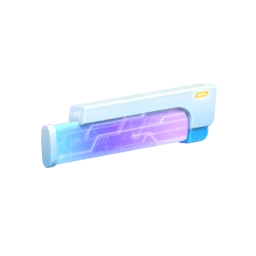
Max Particles pay for battles at Power Spots and for training a Max Pokémon's Max Moves. Both use the same balance, so a move upgrade can leave you short for your next Max Battle. They unlock at Trainer Level 20; it was Level 13 before the October 2025 update.
They have their own counter and don't take Item Bag space. Your balance is separate from any Max Particle Packs in your Item Bag.
How to get it
Visit active Power Spots (100 Max Particles, plus 20 on your first visit since the spot became active). After walking 2 km, claim 300 Max Particles from the Nearby menu.
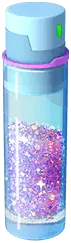
Earn more from research tasks, GO Pass ranks, redeemed codes and Max Particle Packs. Special events can raise the daily collection and storage limits.
How to use it
Check the cost on the Power Spot lobby screen before a battle (250, 400 or 800 depending on tier), or on a Max Pokémon's summary screen before you train its Max Moves.
Max Battles only take Max Particles when you beat the boss. Joining remotely also needs a Remote Raid Pass, which is used up when the battle starts, win or lose.
Worth knowing
Keep enough for the Max Battles you plan to win before you spend 400 to 800 Max Particles on a Max Move upgrade.
The 800 daily limit and the 1,500 storage limit are only checked before you claim. A 300-particle walking reward claimed near either limit still pays in full and takes you past it.
How much you can collect and what battles cost
Outside events, you can collect up to 800 Max Particles a day from free sources. The normal storage limit is 1,500 Max Particles; it was 1,000 until May 2025.
An active Power Spot gives 100 Max Particles, plus a 20-particle bonus the first time you visit it since it became active.
Walking 2 km lets you claim 300 Max Particles from the Power Spot tab in the Nearby menu.
Special events can raise both limits.
Battle costs go up with difficulty: 250 Max Particles for one-star, 400 for two-star and three-star, and 800 for four-star, five-star and six-star Gigantamax Max Battles. Particles are only taken when you beat the boss, so a failed attempt costs nothing.
To join remotely, you need the Max Particles and a Remote Raid Pass. The pass is used when the battle starts. If your group loses, you can retry the same boss without another pass before the Power Spot rotates.
Why your balance can go past a limit
The 800-particle daily allowance resets at 5:00 a.m. local time. It's only checked before you claim, so your last claim of the day can take you past 800. At 780 Max Particles since 5:00 a.m., a 300-particle walking reward still pays in full, for 1,080 that day. After that, Power Spots and walking are blocked until the next reset.
Particles from research, GO Pass ranks, redeemed codes and Max Particle Packs don't count toward the 800.
The 1,500-particle storage limit works the same way. The game checks that you're below 1,500 before you collect from a Power Spot, claim a walking reward or open a Max Particle Pack. At 1,480, an 800-particle pack gives you all 800, for 2,280; you don't lose the excess.
Research, GO Pass and code rewards can be claimed even at or above 1,500.
Each active Power Spot gives 100 Max Particles, plus 20 the first time you visit that spot since it became active, 120 in all. The bonus applies to every new Power Spot, not once a day. Six new Power Spots give 720 Max Particles, just under the 800 limit, so you can still claim a 300-particle walking reward for 1,020 in total.
Sources & further reading
bulbapedia.bulbagarden.net
eurogamer.net
goldandappelpub.com
niantic.helpshift.com
- https://niantic.helpshift.com/hc/en/6-pokemon-go/faq/2487-joining-battles-remotely/
- https://niantic.helpshift.com/hc/pt/6-pokemon-go/faq/4797-collecting-max-particles-and-dynamaxing-or-gigantamaxing-pokemon-1729887059/?p=web&s=top-articles&f=team-go-rocket-leaders-giovanni&hl=en%29%D0%B2%D0%BD%D0%BE%D1%81%D1%8F%D1%82%D1%81%D1%8F
- https://niantic.helpshift.com/hc/en/6-pokemon-go/faq/2487-joining-raids-remotely/
- https://niantic.helpshift.com/hc/en/6-pokemon-go/faq/4795-what-are-max-pokemon-1729886792/?sf92206788=1&p=web&s=account-sign-in&f=linking-an-additional-login-provider-to-your-account&l=de