
Overview
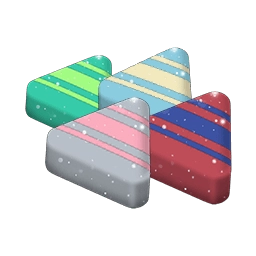
Rare Candy is a generic item stored in your Item Bag that converts one-for-one into ordinary Candy for any Pokémon family you choose. Once converted, it is permanently added to that family's Candy balance and can pay for power-ups, evolutions, unlocking a second Charged Attack, purifying Shadow Pokémon, training Max Moves, or activating Adventure Effects. Because it works on any species, it is most valuable for Legendary, Mythical, and Ultra Beast Pokémon whose Candy is otherwise scarce.
Keep Rare Candy unconverted in your Item Bag until you are ready to spend the Candy on a specific build unless you need to free up storage space.
How to get it
Win Raid Battles and Max Battles, or earn eligible rewards from the GO Battle League and daily Trainer Battles.
Complete Field, Timed, or Special Research, walk Routes, reach weekly Adventure Sync milestones, enter PokéStop Showcases, or progress through seasonal event reward tracks.
How to use it
Open your Item Bag (or a Pokémon's menu), select Rare Candy, choose the target Pokémon, set how many to convert in a single batch, and confirm.
Conversion is one-to-one and cannot be reversed into the generic item.
Worth knowing
Consider Pokémon with hard-to-obtain Candy, such as a rarely available Legendary. Common spawns often provide cheaper ways to collect family Candy.
Candy is shared across the evolution family, so converting on one family member also supports the others.
Compare it with the family’s other Candy sources
One Rare Candy always converts into one ordinary family Candy, but the walking distance it saves depends on the species. Buddy walking distances are 1, 3, 5, or 20 km per Candy, with Legendary, Mythical, and Ultra Beast Pokémon requiring 20 km. Using a Rare Candy on a 20 km Buddy saves 20 km of walking for each Candy, whereas using it on a 1 km Buddy saves only 1 km.
That is a useful comparison, not an absolute rule. Common catches, events, trades, and eggs may make a family easy to supply without Rare Candy. Choose a concrete evolution or battle build before converting a large amount, because the converted Candy is tied to that family.
Do not confuse flexibility with an efficient XL shortcut: converting 100 Rare Candy into a family’s ordinary Candy and then exchanging those produces only one Candy XL.
Convert only the shortfall
If an evolution costs 100 Candy and the family balance is 82, converting 18 Rare Candy supplies the difference. You can choose a batch in the item’s confirmation screen; there is no need to apply one piece at a time.
Rare Candy occupies Item Bag space before conversion. Family Candy is stored as a resource balance, so converting a planned amount can free bag space. That convenience comes at the cost of flexibility: you cannot move it back to Rare Candy or into another family afterward.
Converting Rare Candy only adds to the family's Candy balance; it does not perform an evolution or power-up automatically. You still need the required Stardust, special evolution items, or completed Buddy tasks. In addition, while Rare Candy can become Gimmighoul Candy or Applin Candy for power-ups and second Charged Attacks, it cannot substitute for the 999 Gimmighoul Coins needed to evolve Roaming Form Gimmighoul or the 20 species-specific apples required alongside Applin Candy to evolve Applin.