
Overview
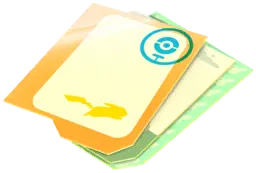
A Gift is a social package collected from a real-world PokéStop or Gym that you send to a friend. You cannot open the Gifts you collect yourself; instead, you send outgoing Gifts to friends and open the incoming Gifts they send to you. Each Gift carries a Postcard from its origin and, when opened, can raise friendship (or add points toward a Remote Trade for Forever Friends) while awarding item bundles, Stardust, Stickers, and potentially a 7 km Egg when space allows.
Gifts use their own separate holding capacity and do not take up space in your Item Bag.
How to get it
Spin PokéStops and Gym Photo Discs.
Your Buddy can bring outgoing Gifts from nearby PokéStops and Gyms when your Gift count runs low.
How to use it
Open a friend’s profile, choose Send Gift, and select a Gift. You cannot open your own outgoing Gifts.
Open incoming Gifts through your Friends list, subject to the current daily opening limit.
Worth knowing
Pin a Postcard you want to keep before sending an outgoing Gift or opening an incoming Gift; pinning Postcards also advances regional Vivillon Collector medals toward Scatterbug encounters.
Gifts use their own holding capacity rather than ordinary Item Bag slots. A Gift can only award a 7 km Egg when you have both an open regular Egg slot and room in your Item Bag.
Use daily interactions deliberately
Only one Trainer needs to open a Gift for that friend pair to earn their daily friendship progress. Opening a second Gift after you have already interacted that calendar day still awards its contents, but it does not add an extra day of friendship progress. Once you reach the Forever Friends tier, opening and sending Gifts also awards friendship points toward the 90-point progress bar required to earn a Remote Trade.
The blue halo on a friend indicates that a qualifying interaction has already happened that day. If your goal is to advance several friendships within your opening allowance, prioritize friends without that indication. Use the friend-search term interactable to find them.
Plan important friendship milestones with Lucky Eggs in mind, but do not confuse the act of sending a Gift with receiving the milestone XP. Progress depends on a qualifying interaction such as the recipient opening it.
Gift limits and contents
Your base holding capacity is 20 Gifts. Under the current leveling system, reaching Levels 43, 53, 63, and 73 each grants a +5 Gift Box Upgrade, raising your permanent capacity to 40 Gifts before any temporary event or GO Pass bonuses.
Sending Gifts is also a progression requirement later on: reaching Level 75 requires completing the task to send 500 Gifts to friends.
For incoming Gifts, the standard opening allowance is 30 per day, though seasonal events or GO Pass perks sometimes increase this cap.
You can send at most one Gift to each friend per day, and that friend must open your previous Gift before you can send them another.
Opening a Gift can award Poké Balls, Great Balls, Ultra Balls, Potions, Revives, Berries, Stardust, Stickers, and a 7 km Egg if an eligible regular Egg slot is open. When your outgoing supply drops below five Gifts, your Buddy can periodically fetch Gifts from nearby PokéStops or Gyms to top you back up to five (separate from the green Buddy Present packages that higher-level Buddies bring for you to open yourself).
At the end of a Route once per day, Mateo also offers a Gift Exchange that swaps one of your Gifts for a random Gift and Postcard from another Trainer worldwide; Mateo’s Gifts count toward Vivillon medals and draw from their own distinct 7 km Egg pool. Always pin the Postcard before opening the Gift if you want to save it.
Postcards, supplies and access
A Gift displays its originating PokéStop or Gym on a Postcard for the recipient, and you can toggle whether your Trainer Name appears in friends’ Postcard Books through your settings. When sending a Gift, you choose which PokéStop or Gym Postcard to send and whether to attach one of your Stickers, which consumes that Sticker from your inventory. You do not choose the item bundle inside; sending a Gift never deducts Poké Balls, Potions, or Revives from your own Item Bag.
Your outgoing Gift holding capacity, daily opening allowance, and one-Gift-per-friend daily sending limit are all separate rules. Deleting items from your Item Bag does not let you hold or open more Gifts. Conversely, having remaining daily Gift opens does not bypass Item Bag capacity unless you enable the game setting to open Gifts when your Item Bag is full.
With that setting active, opening a Gift with a full Item Bag grants only a small amount of Stardust (50 to 100 Stardust) along with daily friendship and Postcard progress, and it cannot award items or a 7 km Egg even if you have an open Egg slot.
Child accounts need the relevant social permissions enabled to use friendship features. Sponsored Gifts are a different system: they give rewards directly to their recipient and cannot be forwarded to friends.
Sources & further reading
goldandappelpub.com
niantic.helpshift.com
- https://niantic.helpshift.com/hc/en/6-pokemon-go/faq/85-sending-receiving-gifts/
- https://niantic.helpshift.com/hc/en/6-pokemon-go/faq/4175-what-are-routes/?l=en&hl=ko+%0A%3Cbr%3E%EB%8B%A4%EC%9D%8C%EB%B6%80%ED%84%B0
- https://niantic.helpshift.com/hc/en/6-pokemon-go/faq/2847-friend-list-friendship-levels-1614900279?hl=jaa
- https://niantic.helpshift.com/hc/en/6-pokemon-go/faq/2553-what-are-gift-stickers/?mibextid=xfxF2i&utm_source=chatgpt.com
pokemongohub.net
reddit.com
- https://www.reddit.com/r/TheSilphRoad/comments/l4am3o/is_there_a_cool_down_for_how_often_a_buddy_can/
- https://www.reddit.com/r/TheSilphRoad/comments/w95i4w/gifts_dont_give_eggs_if_your_item_pack_is_full/
- https://www.reddit.com/r/pokemongo/comments/1rk3aku/has_anyone_else_seen_the_amount_of_gifts_they_can/
- https://www.reddit.com/r/pokemongo/comments/1pd0qqo/gifts_how_many/
- https://www.reddit.com/r/TheSilphRoad/comments/1snvich/the_souvenir_chaining_method_how_to_clear_collect/