Overview
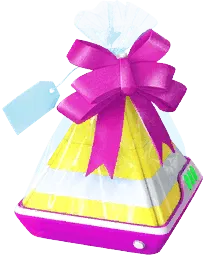
The Postcard Book is a permanent collection feature accessed from your Trainer Profile or Item Bag that stores location Postcards pinned from Gifts. You can pin Postcards from Gifts sent by friends, Gifts received through Mateo’s Route-end exchange, or outgoing Gifts still held in your Item Bag. Always pin a Postcard before opening a received Gift or sending an outgoing one, as the opportunity to save that Gift’s Postcard is lost afterward.
Beyond serving as a travel log of PokéStops and Gyms, pinning Postcards from eligible regions progresses the Vivillon Collector medal toward Scatterbug encounters and supports connectivity with Pokémon Scarlet and Pokémon Violet.
How to get it
Access the Postcard Book directly from your Trainer Profile or your Item Bag.
Tap the pin icon on a received Gift before opening it, or on a Gift in your Item Bag before sending it to a friend.
How to use it
Open the Postcard Book to browse saved locations by date or sender and manage its dedicated storage.
Send a copy of a saved Postcard to Pokémon Scarlet or Pokémon Violet once per day to activate the Coin Bag and progress toward a Golden Lure Module.
Worth knowing
Pinning eligible Postcards advances the corresponding regional sub-medal under the Vivillon Collector medal; you can pin an incoming Gift without opening it if you have reached your daily Gift-opening limit.
Postcard capacity is separate from standard Item Bag storage; delete unwanted entries or purchase Postcard Pages in the shop for 100 PokéCoins (+50 spaces) when your book fills up.
The saved location matters for Vivillon
Pinning Postcards advances regional sub-medals under the Vivillon Collector medal. A Postcard’s Vivillon pattern is determined strictly by the geographic location of the PokéStop or Gym where the Gift was collected, not by the sending friend’s current location. Some geographic areas are not Vivillon habitats, so Gifts originating from those locations will not advance any regional sub-medal.
Pinning your own outgoing Gifts from your Item Bag also counts toward your local region’s progress, though the official Help Center notes a limit of twice per day while in-game behavior and player testing allow up to three per day.
Mateo’s Gift Exchange at the end of a Route (available once per day) provides another way to collect Postcards from Trainers around the world. The Gift you select to send during the exchange does not consume a Gift from your held Item Bag inventory. Be sure to tap the pin icon on the incoming Gift from Mateo before finishing the exchange if you want to save its location and gain Vivillon progress.
Capacity and Vivillon progress
The Postcard Book starts with 350 storage spaces (increased from its December 2021 launch capacity of 300 spaces when Vivillon debuted in December 2022). Under the current leveling system, reaching Trainer Levels 47, 57, 67, 74, and 77 each awards +50 Postcard storage spaces (+250 total from leveling). You can also purchase Postcard Pages in the in-game shop, with each upgrade adding 50 spaces for 100 PokéCoins. The published maximum storage cap is 3,000 spaces; check the in-game shop in case the upper cap changes.
Deleting a saved Postcard is permanent.
Open the Postcard Book from your Trainer Profile or Item Bag at any time. Pinning eligible Postcards advances regional Vivillon Collector sub-medals, unlocking encounters with Scatterbug that evolve into Spewpa and then that region’s Vivillon pattern. Once a Gift’s Postcard has been pinned and counted toward medal progress, unpinning or deleting it does not revoke that progress, though you can keep the Postcard in your book as a keepsake.
Browsing, deleting and sharing
You can sort saved Postcards by date received or by the sender’s Trainer Name or nickname. Tapping a Postcard displays its full photograph, the date it was received, and the sender. Removing a friend from your Friend List does not erase their saved Postcards from your book, although their name is removed from those entries.
To delete a single Postcard, open it and use the menu in the bottom-right corner. For batch deletions, press and hold a Postcard in the book view, select all unwanted entries, and tap Remove. Review your selection carefully, as deleted Postcards cannot be restored. Each individual Gift can only grant Vivillon progress once—repeatedly pinning and unpinning the exact same Gift does not generate additional medal progress, though separate Gifts spun from the same PokéStop on different visits count as distinct Postcards.
Pinning and opening a Gift are separate actions, so you can pin an incoming Gift’s Postcard right away even if you have already reached your daily Gift-opening limit. If you flee from or leave a Scatterbug encounter unfinished, open the Vivillon Collector medal page from your Trainer Profile or Pokédex to check your regional progress and start the saved encounter.
Under Settings > General, you can toggle the option to share your nickname in friends’ Postcard Books. Turning this setting off removes your Trainer Name from both previously saved and future Postcards in your friends’ collections while leaving the PokéStop or Gym location details intact.
Coin Bag and Golden Lure connection
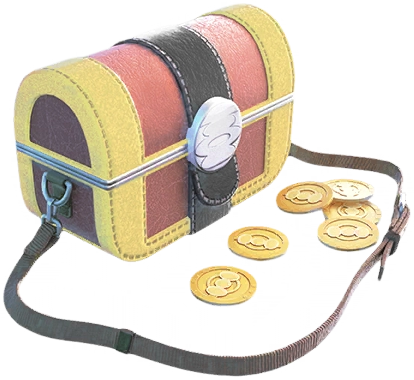
After pairing Pokémon GO with Pokémon Scarlet or Pokémon Violet on Nintendo Switch, you can select a saved Postcard, open its bottom-right menu, and send a copy to your Switch game once per day (resetting at midnight local time). Sending a Postcard activates or recharges the Coin Bag in Pokémon GO—which attracts Roaming Form Gimmighoul—and causes wild Vivillon in Paldea to match the sent Postcard’s regional pattern.
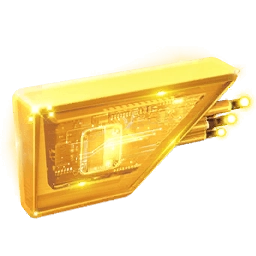
Sending Postcards on five days also awards a Golden Lure Module, or Gimmighoul Coins if you are already holding the maximum of one Golden Lure Module. Sending a copy does not remove the Postcard from your Postcard Book, but each individual saved Postcard can only be sent to a Nintendo Switch once.