Overview
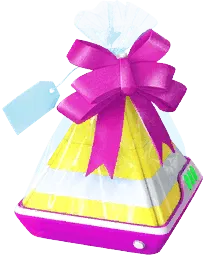
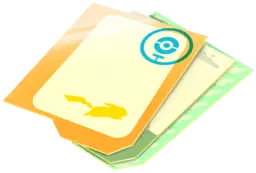
Stickers are one-time-use decorative items introduced in June 2020 that you attach to the Postcard of a Gift before sending it to a friend. Sending a decorated Gift consumes one copy of that sticker design from your inventory, and the recipient sees the chosen artwork on the Gift and its Postcard. Stickers are purely cosmetic: they do not alter the Gift’s item rolls, improve a Pokémon’s stats, or increase your chance of catching a Pokémon.
Because designs come from everyday play, special events, and the in-game shop, many Trainers also treat them as collectibles.
How to get it
Collect Stickers from eligible PokéStop spins (including sponsored locations), Gifts, Buddy Gifts, research tasks, Seasonal and event distributions, Team GO Rocket Leader battles during eligible events, and sleep tracking with a Pokémon GO Plus +.
Purchase sticker bundles in the in-game shop, typically sold in packs of 10 for 35 PokéCoins or 30 for 80 PokéCoins.
How to use it
Choose a Gift, attach a sticker, and send it to a friend.
The attached copy is consumed when sent.
Worth knowing
Stickers are stored in a dedicated Sticker inventory rather than your Item Bag. Free drops stop at 25 copies of a design, though shop 30-packs and fixed research rewards can push a design's count above 25.
If you collect designs, decide whether to keep your last copy before attaching it. Event artwork may not return on a predictable schedule.
Holding and sending stickers
Stickers are stored in a dedicated Sticker inventory and do not occupy slots in your Item Bag. To decorate a Gift, choose a friend from your Friends List, tap Send Gift, select the Gift you want to send, and tap Add Sticker before sending. The selection drawer organizes your collection into tabs for Featured, Recent, Messages (stickers with text), Pokémon (filterable by region), Characters, and Miscellaneous. Attaching a sticker is optional for an ordinary Gift.
Standard shop bundles typically cost 35 PokéCoins for 10 copies or 80 PokéCoins for 30 copies of a design.
Collecting designs and completing research
The normal holding limit of 25 copies applies separately to each sticker design. Reaching 25 copies of one sticker prevents that specific design from dropping from PokéStops or Gifts, but it does not stop you from collecting other designs, and upgrading your Item Bag does not increase the per-design cap.
However, you can exceed 25 copies of a single design by claiming fixed sticker rewards from research or by buying a 30-pack in the shop while holding 24 or fewer copies (allowing up to 54 copies of that design). If you want to preserve a rare or event-exclusive sticker in your collection, avoid attaching your final copy.
When research asks you to send Gifts with stickers, attach the sticker before sending. An undecorated Gift can still supply items and friendship progress, but does not satisfy the sticker condition. Merely selecting a sticker without sending the Gift does not complete a sending task.
A sticker attached by a sender only decorates the recipient’s Gift and its Postcard (if pinned to their Postcard Book); it is not deposited into the recipient’s usable Sticker inventory. Usable stickers obtained when opening a Gift are rolled separately in a dedicated bonus slot alongside the Gift’s standard item and Stardust bundles.
Beyond Gifts and standard PokéStops, specific designs can also come from Buddy Gifts, defeating Team GO Rocket Leaders (Arlo, Cliff, and Sierra) during eligible events, spinning sponsored PokéStops, or tracking at least 90 minutes of sleep per day with a Pokémon GO Plus +.
Stickers do not have a separate numeric Trainer-level requirement under the current leveling system; access depends on having access to the Friends and Gifting features. For child accounts managed through Niantic Kids or Pokémon Trainer Central, a parent or guardian must enable social features before the player can send Gifts or attach Stickers.
Flair on GO Snapshot photos
After a GO Snapshot photo session, you can decorate your photographs using Flair, a special category of stickers that can be placed on the image, rotated with two fingers, and pinched to resize. Saving a decorated photo consumes the used Flair from your Sticker inventory, separate from attaching a sticker to a Gift.
By contrast, the label stickers and frames in the What's Your Favorite? camera feature are built-in photo customization elements and do not consume items from your Sticker inventory.
Sources & further reading
bulbapedia.bulbagarden.net
forum.pokemongohub.net
niantic.helpshift.com
- https://niantic.helpshift.com/hc/en/6-pokemon-go/faq/2553-what-are-gift-stickers/
- https://niantic.helpshift.com/hc/en/6-pokemon-go/faq/1105-taking-ar-photos-with-go-snapshot/
- https://niantic.helpshift.com/hc/en/6-pokemon-go/section/60-friends-gifting-trading/
- https://niantic.helpshift.com/hc/en/6-pokemon-go/faq/5329-what-s-your-favorite/
pokemongolive.com
- https://pokemongolive.com/seasons/memories-in-motion
- https://pokemongolive.com/news/pokemon-sleep-pokemon-go-plus-plus-event
- https://pokemongolive.com/news/team-go-rocket-celebration-2021
- https://pokemongolive.com/news/tcg-charizard-ex
- https://pokemongolive.com/news/know-before-you-go-gofest-2026-in-person-events
- https://pokemongolive.com/en/news/sticker-feature-update-2022
- https://pokemongolive.com/news/giftstickers-update
- https://pokemongolive.com/news/sticker-feature-update-2022
- https://pokemongolive.com/news/whats-your-favorite-2026