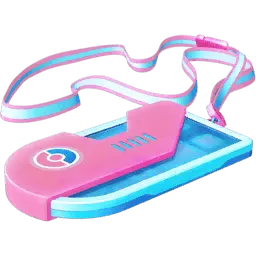
Overview
An Event Ticket is an item that records your access to a particular virtual or live event, Special Research story, Timed Research, or package of bonuses. Events such as GO Fest, GO Tour, Community Day, Raid Day, Hatch Day, Max Battle Day, Wild Area, and City Safari each have their own ticket rules and schedules. There is no universal Trainer-level requirement to buy or use an Event Ticket, though child accounts face specific store and registration rules.
Always read the dates, location, claim requirements, and included benefits before buying, because the term Event Ticket covers many distinct one-time passes rather than a single reusable item.
How to get it
Purchase or claim virtual Event Tickets through the in-game shop or the Pokémon GO Web Store, or register for live in-person events through the in-game Events menu.
Receive a gifted virtual ticket from a friend who is at least a Great Friend, or have an in-person ticket assigned to your Trainer Nickname during group registration.
How to use it
Read the event dates, local-time rules, and research claim requirements.
For location-based events, check whether a particular city, park session, or day is required.
Worth knowing
A Timed Research reward deadline is different from the availability of Special Research. Do not assume all ticket rewards remain claimable indefinitely.
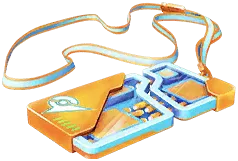
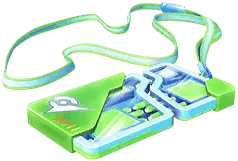
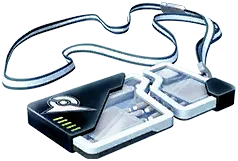
Ticket colors are not a reliable way to infer benefits; use the name and description.
Buying a ticket for a friend
Where gifting is supported for virtual events, open the Event Ticket in the in-game shop, tap Gift instead of Buy, select an eligible friend, and complete the purchase. You and the recipient must be at least Great Friends, and the gift will be blocked if the recipient already owns the ticket or has been sent one by another player. You can send up to 20 paid gift tickets per day, though certain major events such as GO Fest may enforce separate limits.
Sent ticket gifts cannot be canceled and are generally non-refundable. Trainers who prefer not to receive paid tickets from friends can disable the "Allow friends to send you paid gifts" setting in their game options.
Research access is different from event bonuses
A Special Research ticket may require you to open the game during a stated window to receive the story. Once the Special Research has been obtained, it normally remains available to finish later. Buying the ticket alone is not a substitute for meeting its login or location conditions.
Timed Research has a completion and reward-claim deadline. A separate encounter or item already claimed can remain, but an unclaimed task reward disappears with the research. Check the deadline shown in the Research tab rather than relying on the ticket icon remaining in your bag.
Extra Raid Passes, hatch bonuses, and increased encounters operate only during the ticket’s eligible hours and locations. A ticket that supplies extra daily passes still requires you to collect those passes under the event rules. A city ticket, park session, add-on, and global ticket can cover different parts of the same event.
Payment and included benefits
Most paid Event Tickets require real-world currency rather than PokéCoins. Always compare the named event, eligible dates, location, research tasks, and bonuses in the offer before checking out. On the Pokémon GO Web Store, tickets are frequently sold as Ultra Ticket Boxes that include bonus items or earn Reward Road points alongside the ticket itself.
However, Web Store ticket purchases apply directly to the logged-in account rather than being giftable, live in-person event purchases do not earn Reward Road points, and child accounts cannot access the Web Store or the Reward Road program.
Before gifting a virtual ticket in the shop, confirm that your friend is eligible and does not already have the ticket. Virtual ticket gifting is a direct purchase for that recipient, not a transfer of an Event Ticket already sitting in your Item Bag.
In-person event registration and promo codes
Tickets for in-person live events—such as GO Fest city and park sessions, City Safari, and Wild Area—are sold on a first-come, first-served basis through the official ticketing system inside the in-game Events menu. When buying two or more tickets in a single order, you must assign every ticket to an eligible recipient by typing their exact Trainer Nickname, and all tickets in that order share the same date and time slot.
Standard accounts must be at least Great Friends with the buyer to be added to an order, but child accounts (via Niantic Kids or Pokémon Trainer Central) linked to a parent or guardian are exempt from this friendship requirement.
During in-person event registration, optional add-ons—such as extra days, gameplay perks, or merchandise—can be selected individually for each Trainer in a multi-ticket order rather than forced onto the entire cart, and they can also be purchased later until they sell out. If you have a promotional code for a live event ticket, open the Main Menu, tap Events, select the specific event banner, scroll to the bottom of the description, and tap Redeem a promotion code.
Sources & further reading
niantic.helpshift.com
- https://niantic.helpshift.com/hc/en/6-pokemon-go/faq/3846-how-do-i-purchase-tickets-to-pokemon-go-events/
- https://niantic.helpshift.com/hc/en/6-pokemon-go/faq/3846-purchasing-tickets-to-pokemon-go-events/
- https://niantic.helpshift.com/hc/faq/1731-how-do-i-register-for-live-events/?hl=enULTRA
- https://niantic.helpshift.com/hc/en/6-pokemon-go/faq/3400-purchasing-tickets-as-gifts-for-other-trainers/