Overview
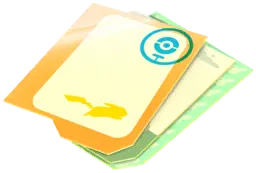
Postcard Pages are a permanent shop upgrade that increases the number of saved Postcards your Postcard Book can hold. Every account starts with a default capacity of 350 spaces, and each standard purchase adds 50 spaces for 100 PokéCoins. Postcard Pages only expand the Postcard Book; they do not increase your held Gift limit or ordinary Item Bag capacity.
Before buying more pages, decide whether you want to keep a growing archive of memorable locations or simply pin and remove Postcards for gameplay rewards.
How to get it
Purchase Postcard Pages in the in-game shop for 100 PokéCoins per 50-space upgrade while your Postcard Book is below the current capacity cap.
Earn 50 permanent spaces at Trainer levels 47, 57, 67, 74, and 77 under the current leveling system (up to 250 spaces total).
How to use it
Purchase from the in-game shop or directly from the prompt that appears when you try to pin a Postcard with a full Postcard Book.
Each upgrade immediately adds 50 spaces to your Postcard Book only; it does not increase your Item Bag or held Gift capacity.
Worth knowing
Buy Postcard Pages if you want to keep a larger collection of saved locations. If you only pin Postcards for Vivillon Collector medal progress toward Scatterbug encounters, you can unpin or delete them afterward instead of buying more space.
Maximum capacities can increase over time. Use the current in-game cap rather than an old total from a guide.
Postcard space is separate from Gift space
The Postcard Book uses its own dedicated storage system. Buying Postcard Pages expands how many pinned Postcards you can save in your collection, but it does not raise the number of un-sent Gifts you can carry in your Item Bag or the daily number of Gifts you can open or send.
If you enjoy collecting memorable PokéStop and Gym locations from friends and travels, Postcard Pages give your collection room to grow. You can also pin Postcards from eligible regions to progress the Vivillon Collector medal and start an encounter with Scatterbug (including up to three of your own outgoing Gifts per day alongside incoming Friend Gifts), or send a saved Postcard once per day to Pokémon Scarlet and Pokémon Violet on Nintendo Switch to receive a Coin Bag and progress toward a Golden Lure Module.
Because you can unpin or delete a Postcard after pinning it and still keep your Vivillon progress, you only need extra Postcard Pages if you want to keep the cards themselves.
Permanent storage and level-up rewards
Every Postcard Book starts with a base capacity of 350 spaces. Under the current leveling system (Levels 1–80), you also earn 50 spaces as a permanent level-up reward at levels 47, 57, 67, 74, and 77, providing up to 250 additional spaces across your progression. These level-up rewards are permanent and separate from buying Postcard Pages in the shop. Because maximum storage caps are periodically raised, check your displayed capacity in the Postcard Book and the current shop limit before planning further upgrades.
Buying pages or making room
Each Postcard Pages upgrade in the shop costs 100 PokéCoins and adds 50 spaces immediately. Buying two upgrades adds 100 spaces for 200 PokéCoins. Upgrades only add empty capacity for saving locations; they do not contain ready-made Postcards.
If you have saved 340 Postcards in a 350-space book, one upgrade raises the limit to 400 and leaves 60 spaces. A full book cannot accept another pin until you expand it or remove saved entries.
To make room, open the Postcard Book and delete entries you no longer want. Press and hold to select several. Check the selection before confirming, especially if it includes rare travel locations: deletion cannot be undone. Opening a Gift and deleting its saved Postcard are different actions.
Sources & further reading
goldandappelpub.com
niantic.helpshift.com
- https://niantic.helpshift.com/hc/en/6-pokemon-go/faq/3196-what-is-the-postcard-book/
- https://niantic.helpshift.com/hc/en/6-pokemon-go/faq/85-sending-receiving-gifts/?l=en&hl=en%29%EF%BC%89%EF%BC%8C%E8%BF%99%E4%B8%89%E5%8F%AA%E5%AE%9D%E5%8F%AF%E6%A2%A6%E9%83%BD%E4%BC%9A%E8%BD%AE%E6%B5%81%E5%87%BA%E7%8E%B0%E3%80%82
- https://niantic.helpshift.com/hc/it/6-pokemon-go/faq/2790-connecting-pokemon-go-to-the-nintendo-switch-1604604136/?s=top-articles&f=what-is-the-postcard-book&hl=es_MX